AnswersQ
Find Your Best Learning Platform
4 quick questions — personalised in under 60 seconds
4 quick questions — personalised in under 60 seconds

Disclaimer: This post is NOT sponsored. Some product links are affiliate links which means if you buy through those links, you won’t pay anything extra and we’ll also receive a small commission on a purchase.
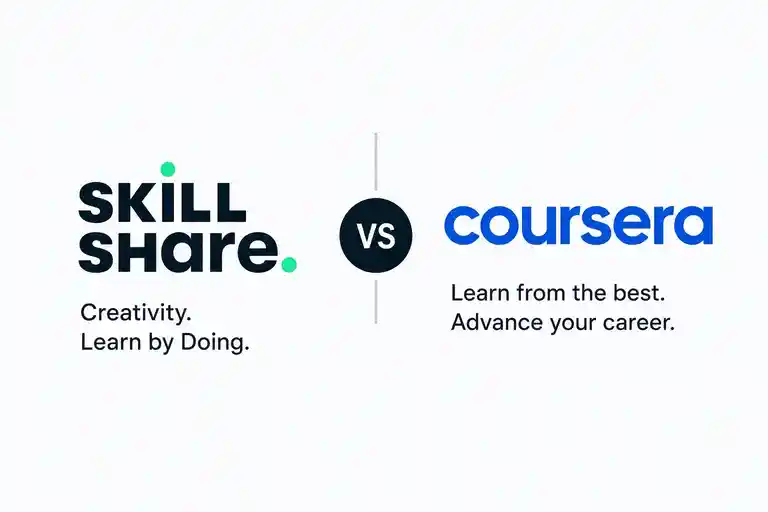

I spent 60+ hours testing both platforms across 20 courses to give you a clear answer — and the winner depends entirely on what you want out of learning online.
You’re choosing between two very different ideas of what online learning should look like. Skillshare says: learn by doing, pay one flat price, explore creatively. Coursera says: learn from university professors and Fortune 500 companies, earn credentials that actually move your career. Both are compelling — but they’re not interchangeable, and most comparison articles miss that completely.
I tested both platforms across 20+ courses covering design, data, business, and programming. I paid for full access on each, tracked the learning experience from onboarding to completion, and checked what real users on Reddit and Quora were saying about both over the past year.
Here’s the short answer: Coursera wins overall , particularly for anyone who wants career-relevant credentials. But Skillshare is the smarter pick for creative learners who want unlimited access at a far lower price. AnswersQ compares dozens of platforms like these — browse all our platform comparisons to find the right fit for your learning goals.
Coursera is the better overall platform for career-focused learners, offering 7,000+ courses from 350+ universities with accredited certificates recognized by Google, IBM, and Meta — backed by a 2025 Learner Outcomes Report showing 46% of completers received a salary increase. Skillshare is better for creative professionals who want unlimited access to 34,000+ project-based courses at $168/year ($13.99/month), versus Coursera Plus at $399/year. If certificates and career outcomes matter to you, choose Coursera. If you want hands-on creative skills on a budget, Skillshare wins on value.
Skillshare, founded in 2010, is a subscription-based creative learning community. It’s home to 34,000+ short, project-based courses taught by working professionals — think graphic designers, filmmakers, illustrators, and marketing consultants. There are no formal prerequisites, no rigid schedules, and no accredited certificates. It’s learning by doing, and it works beautifully for that purpose.
Coursera, founded in 2012, took a different path. It partnered with Stanford, Yale, Google, IBM, and 350+ other institutions to deliver structured, academically rigorous courses. Today it hosts 7,000+ courses, including full degree programs and professional certificates that employers actively recognize. The tradeoff is price and structure — Coursera costs more and asks more of you.
| At a Glance | Skillshare | Coursera ✓ Winner |
|---|---|---|
| Our Score | 4.0/5 | 4.4/5 |
| Best For | Creative learners & freelancers | Career changers & professionals |
| Starting Price | $168/year ($13.99/mo) | $399/year (Coursera Plus) |
| Free Plan | No (7–30 day trial) | Audit only (no cert) |
| Course Catalog | 34,000+ courses | 7,000+ courses |
| Certificates | Completion only (not accredited) | University & employer-backed |
| Trial / Refund | 7–30 day free trial | 14-day money-back (annual) |
| Verdict | Best for creatives | Best overall |
I scored both platforms across five dimensions that matter most to online learners: course content quality, value for money, certificate weight, ease of use, and community and support. Coursera edges ahead on three of five — content quality, certificates, and support — while Skillshare wins on value and user experience.
These two platforms share a surface-level similarity — both let you learn online at your own pace — but they diverge sharply on almost every feature that matters. Our full Coursera review goes deeper on each feature, and if you’re also weighing Udemy, check our Udemy vs Coursera comparison for a broader picture.
| Feature | Skillshare | Coursera | Winner |
|---|---|---|---|
| Course Catalog | 34,000+ courses | 7,000+ courses | Skillshare |
| Course Structure | Short videos + projects | Structured modules + assessments | Tie |
| Accredited Certificates | No | Yes (university & employer) | Coursera |
| Free Audit Option | No | Yes (no certificate) | Coursera |
| University Partnerships | None | 350+ universities | Coursera |
| Mobile App | Yes (iOS & Android) | Yes (iOS & Android) | Tie |
| Offline Downloads | Yes (mobile only) | Yes (mobile only) | Tie |
| Project-Based Learning | Core feature | Available on some courses | Skillshare |
| Degree Programs | No | Yes ($9K–$50K) | Coursera |
| Financial Aid | Scholarships only | Yes (for certificates) | Coursera |
| Community Features | Project feedback & discussion | Forums (less active) | Skillshare |
| Team / Business Plans | Yes ($159/user/yr) | Yes ($399/user/yr) | Skillshare |
Coursera wins the feature battle where it counts for career outcomes — accredited certificates, university partnerships, degree programs, and financial aid. Skillshare leads on catalog size, project-based learning, and community interaction. The right platform depends on whether you’re building a portfolio or a resume.
Not sure which platform fits your learning style? AnswersQ has compared 30+ online learning platforms so you don’t have to.
Browse All Comparisons →This is where the two platforms diverge most dramatically — and where your choice matters most financially. Skillshare is dramatically cheaper on a per-course basis. Coursera is more expensive but justifies it with career-grade credentials.
| Plan | Skillshare | Coursera |
|---|---|---|
| All-Access Annual | $168/year (~$13.99/mo) | $399/year (Coursera Plus) |
| Monthly Option | $32/month | $59/month (Coursera Plus) |
| Individual Course | Not available | $49–$99 per course |
| Guided Projects | Not available | From $9.99 |
| Professional Certs | Not available | $49/month (included in Plus) |
| Degree Programs | Not available | $9,000–$50,000 |
| Team Plan | $159/user/year | $399/user/year |
| Free Access | 7–30 day trial only | Free audit (no cert) |
| Money-Back Policy | Cancel before trial ends | 14-day refund (annual plan) |
Skillshare wins on price — $168/year for unlimited creative courses is genuinely hard to beat. At that rate, you only need to complete a handful of courses to get your money’s worth.
Coursera’s $399/year Coursera Plus plan looks steep until you consider that a single Google Professional Certificate taken month-by-month would cost you $49/month × 6 months = $294 alone. If you’re pursuing multiple certificates, Coursera Plus pays for itself fast. Coursera also runs seasonal discounts (up to 40% off) so watch for promotions before committing.
One thing to watch with Skillshare: the auto-renewal system catches many users off guard. Set a calendar reminder before your trial ends, especially if you signed up through Apple or Google Play.
Both platforms have real strengths — and both have genuine frustrations that real users complain about regularly. Here’s the honest breakdown.
Skillshare wins this category. From the moment you sign up, the platform feels light and unintimidating. Finding courses is fast, the player is clean, and the project-based format means you’re doing something real within the first hour. Users on Reddit consistently praise how easy it is to just pick up and go without feeling overwhelmed.
Coursera is more polished in some ways — the course pages carry more information, the specialization roadmaps are clearly laid out, and the graded assignments give you a structured path to follow. But it’s heavier. The sheer range of options (individual courses, specializations, professional certificates, degrees, guided projects) can confuse new users who just want to learn something specific. The dashboard is functional but not as instantly intuitive as Skillshare’s.
For absolute beginners and casual learners, Skillshare is the easier on-ramp . For learners who want structured guidance toward a specific career goal, Coursera’s more structured approach actually becomes a feature rather than a bug. If you’re comparing platforms beyond these two — our MasterClass review is worth reading for another angle on premium creative learning.
Ease of Use winner: Skillshare — the simpler interface, shorter courses, and project-first format make learning feel immediate and low-friction.
This is the single biggest difference between the two platforms — and it’s where Coursera wins decisively.
Skillshare certificates are completion badges. They show you watched the course. Employers generally don’t recognize them as credentials, and you can’t effectively use them in a job application or LinkedIn profile to signal competence. What you can show from Skillshare is your project output — a portfolio piece, a design, a written piece — which is genuinely valuable for freelancers and creatives.
Coursera certificates are a different category entirely. The Google Data Analytics Professional Certificate, the IBM Data Science Certificate, and the Meta Marketing Analytics Certificate carry real weight. According to Coursera’s own 2025 Learner Outcomes Report, 46% of certificate completers reported a salary increase, and 91% of career-focused learners achieved a positive career outcome. The NACE 2024 survey found that 87.4% of US employers accept online certificates as legitimate credentials — with acceptance rising to 94% for Google, IBM, Meta, and Microsoft specifically.
For career changers, Coursera certificates are one of the most cost-effective ways to signal job-readiness to employers. For freelancers and creatives who sell based on their portfolio, Skillshare’s practical projects do the heavy lifting instead.
Certificate & Career Value winner: Coursera — by a wide margin. If credentials matter to your career, there’s no competition here.
Neither platform is universally better. What matters is matching the platform to your actual goal. Here’s how to decide in under a minute.
Coursera is the stronger platform for the majority of learners who want their time and money to translate into career outcomes. Its certificates carry real employer weight, its course content comes from institutions that have been teaching for decades, and its 2025 learner outcomes data backs it up with hard numbers.
For most learners reading this in 2026, Coursera is the stronger investment . Its certificates carry weight with employers, its content comes from the world’s top universities and companies, and its learner outcome data is genuinely impressive. If career advancement is your goal, Coursera gives you the tools to make it happen.
That said, if you’re a creative professional, freelancer, or hobbyist who wants unlimited course access at the lowest possible cost — Skillshare’s $168/year plan is one of the best deals in online education. You won’t get resume credentials, but you will build a real portfolio and develop skills you can monetize next month.
Still not sure? Browse our full platform rankings to find the best fit for your specific situation — and see how both compare against every major competitor.
Browse All Platform Rankings →AnswersQ compares 30+ platforms side by side — find your perfect match in minutes.
Find Your Best Match